How to play Arrows Go
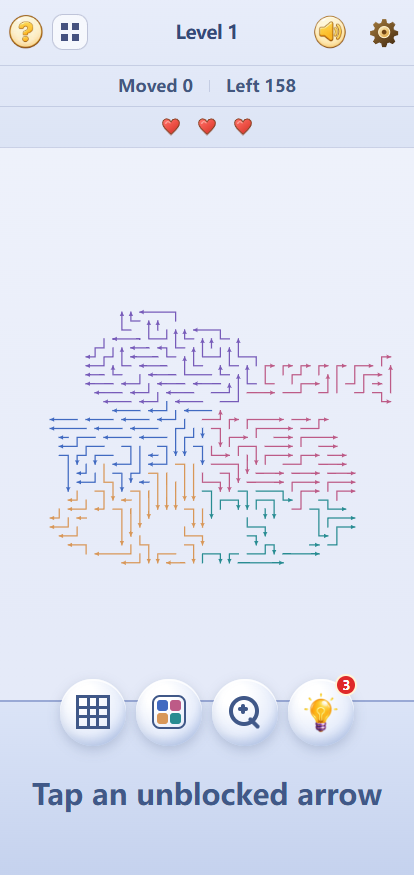
Each arrow moves only in the direction it points. Trace its route to the edge before tapping. If another arrow blocks it, try a different one first. Clear the board to finish the level. The ? button at the top left opens a guide you can browse by chapter.
Clear 1,000 levels
Check the sparser edges of each shape first. As you remove those arrows, routes through the crowded center begin to open.
Protect your three hearts
Tapping a blocked arrow costs one heart. Completing a level restores one, up to a maximum of three.
Use a hint when you need it
You can carry up to three hints and regain one after each cleared level. Each hint highlights one safe arrow for you to tap.
How to solve a crowded Arrows Go board
A packed board can look impossible at first. Find one open route, remove that arrow, then inspect the new gaps. As the shape thins out, routes that seemed blocked start to open.
Start at the sparse edges
The outer parts of the shape usually have fewer arrows. Clear those short, easy-to-check routes first.
Follow the blockers
If an arrow cannot leave, trace the line in front of it until you find a different arrow with an open exit.
Use hints instead of guessing
When paths overlap, a hint marks one safe arrow. Check the nearby area too; another clear route may have opened.
What makes Arrows Go different?
- Choose a level
The button beside ? lets you revisit any level you have unlocked.
- Keep your place
Your current level and unlocked levels are saved locally in this browser.
- Explore the patterns
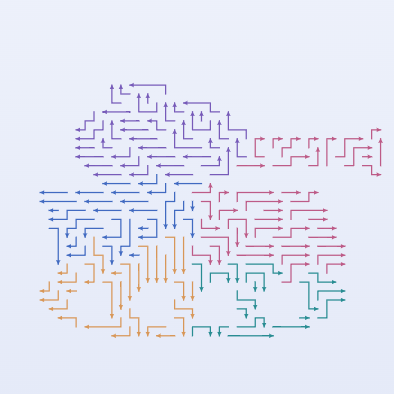
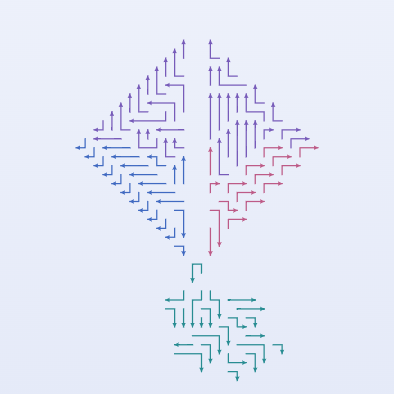
There are 1,000 numbered levels. The first ten use specially arranged shapes; the first three appear below.
- Control the sound
Use the speaker to mute audio, or open the gear menu to adjust music and sound effects separately.
- Color the regions
Turn on region colors in the gear menu to separate groups of arrows visually.
- Change the palette
Use the colored board button below the puzzle to switch the board colors.
The first three level patterns
Arrows Go questions
Can I choose any level?
You can return to any level you have unlocked. Open the level picker beside the ? button in the top-left corner.
Will my progress be saved?
Yes. Your current level and unlocked levels are saved in this browser on this device.
How do I change the board colors?
Use the colored board button below the puzzle to switch palettes. The gear menu also lets you color arrows by region.
How do I open the beginner guide?
Tap the ? button at the top left of the game. You can browse the guide by chapter, close it to play, and open it again whenever you need a reminder.
What if the arrows are too crowded to follow?
Drag or zoom the board to trace one route at a time. Region colors in Settings can help separate groups, and a hint will mark one safe arrow.
Can I play this game on macOS?
Yes. Open the game in Safari on your Mac and play in the browser. If you want to come back later, add the page to your bookmarks.
Is this game free to play?
Yes. You can play the levels in your browser for free, without downloading or signing up.